About Swivora
Overview
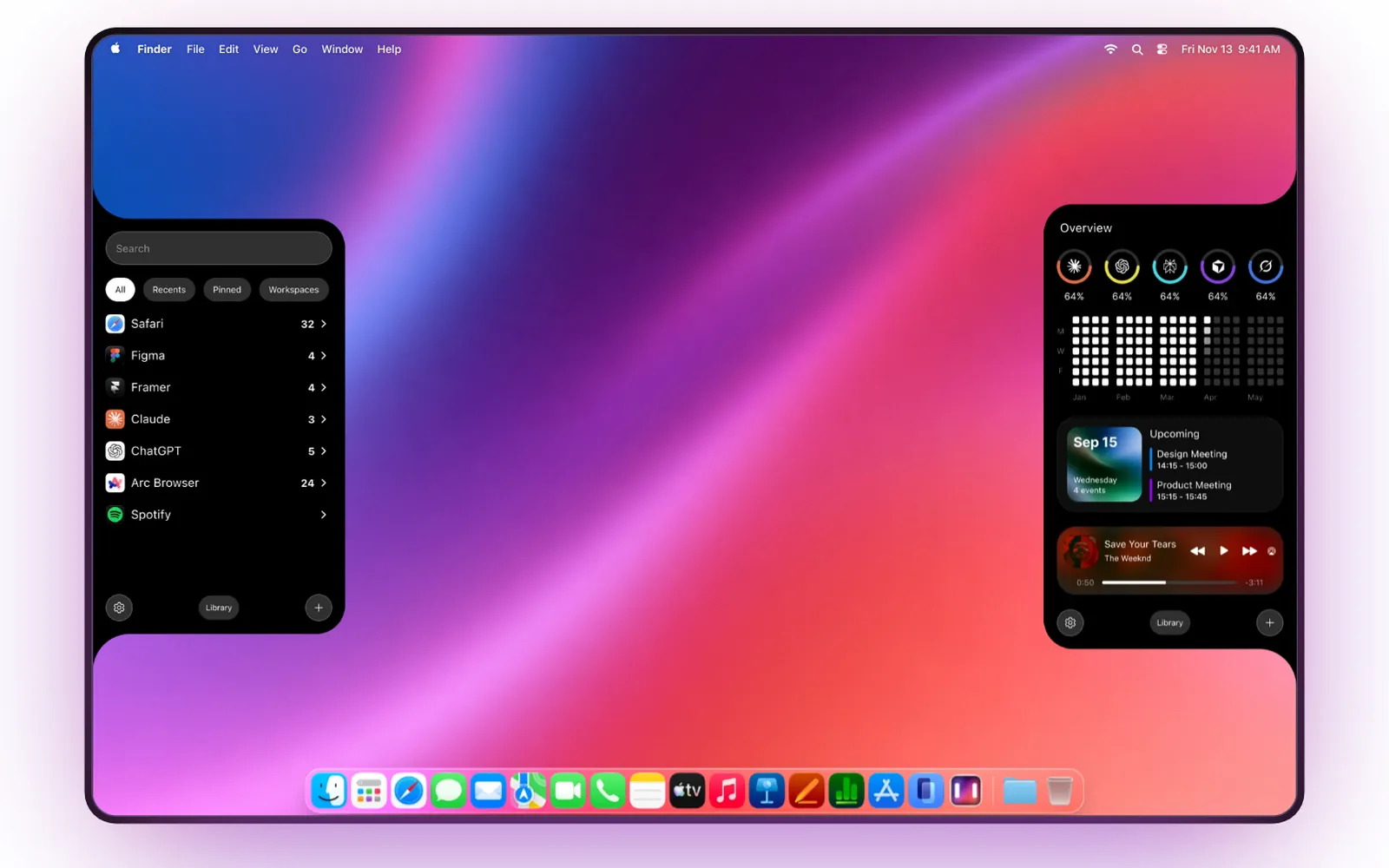
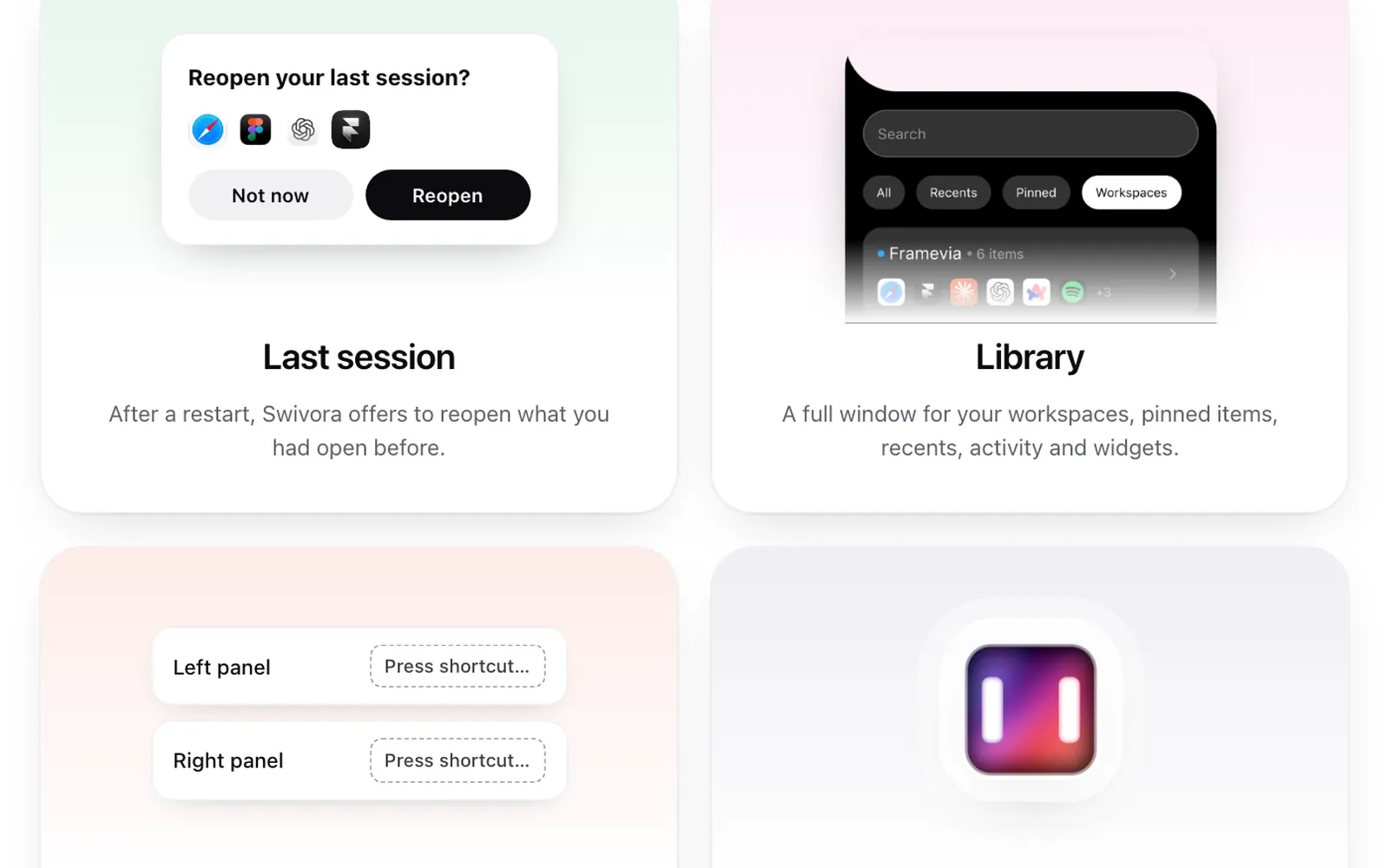
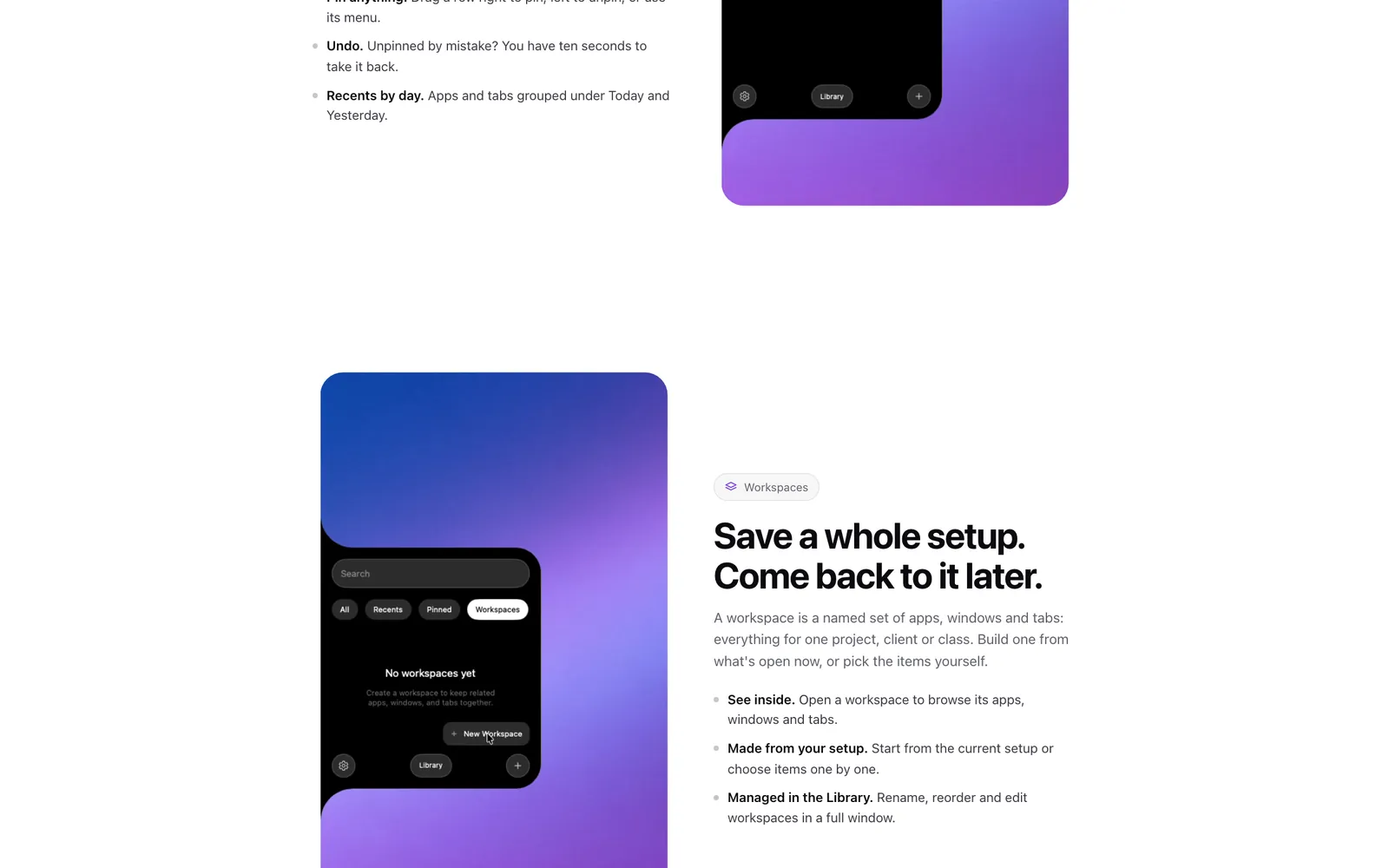
Swivora puts two panels at the edges of your screen. Slide left for every open app, window and browser tab, so you can land on the exact tab you want, and slide right for your day: AI usage, activity, calendar and music. You can also save a whole setup and come back to it later. The panels appear instantly and get out of the way just as fast.
Price and availability
Swivora is a one-time purchase ($12.99 once), with no subscription. You can get it from the developer's website. Dock Gallery links to the maker's page and never hosts or downloads the app itself, so you always get the official version.
Compatibility
Swivora requires macOS 13.0 or later.
- Requires macOS 13.0 or later
- Available from the developer's website
- One-time price, no subscription
Swivora compared with similar apps
| App | What it does | Price | Native | macOS |
|---|---|---|---|---|
 Swivora | Every open app, window and tab in one place, at the edge of your screen | $12.99 once | Yes | 13.0+ |
| Automatic window tiling: open a window and it gets a place | $13.99 once (launch price) | Yes | 15.0+ | |
| One keypress switches your whole Mac between kinds of work | $9.99 once (launch price) | Yes | 15.0+ |


Questions about Swivora
What is Swivora?
Swivora puts two panels at the edges of your screen. Slide left for every open app, window and browser tab, so you can land on the exact tab you want, and slide right for your day: AI usage, activity, calendar and music.
Is Swivora free?
Swivora is a one-time purchase ($12.99 once), with no subscription.
Which macOS does Swivora need?
Swivora needs macOS 13.0 or later.
Who makes Swivora?
Swivora is made by Kamran Hasanli.
Where can I get Swivora?
You can get it from the developer's website. We link to the maker's page and never host the app.
Ask AI about Swivora





More apps
All




Details come from the maker's website. Icons and screenshots belong to their makers. Report an issue