About No Mouse Mode
Overview
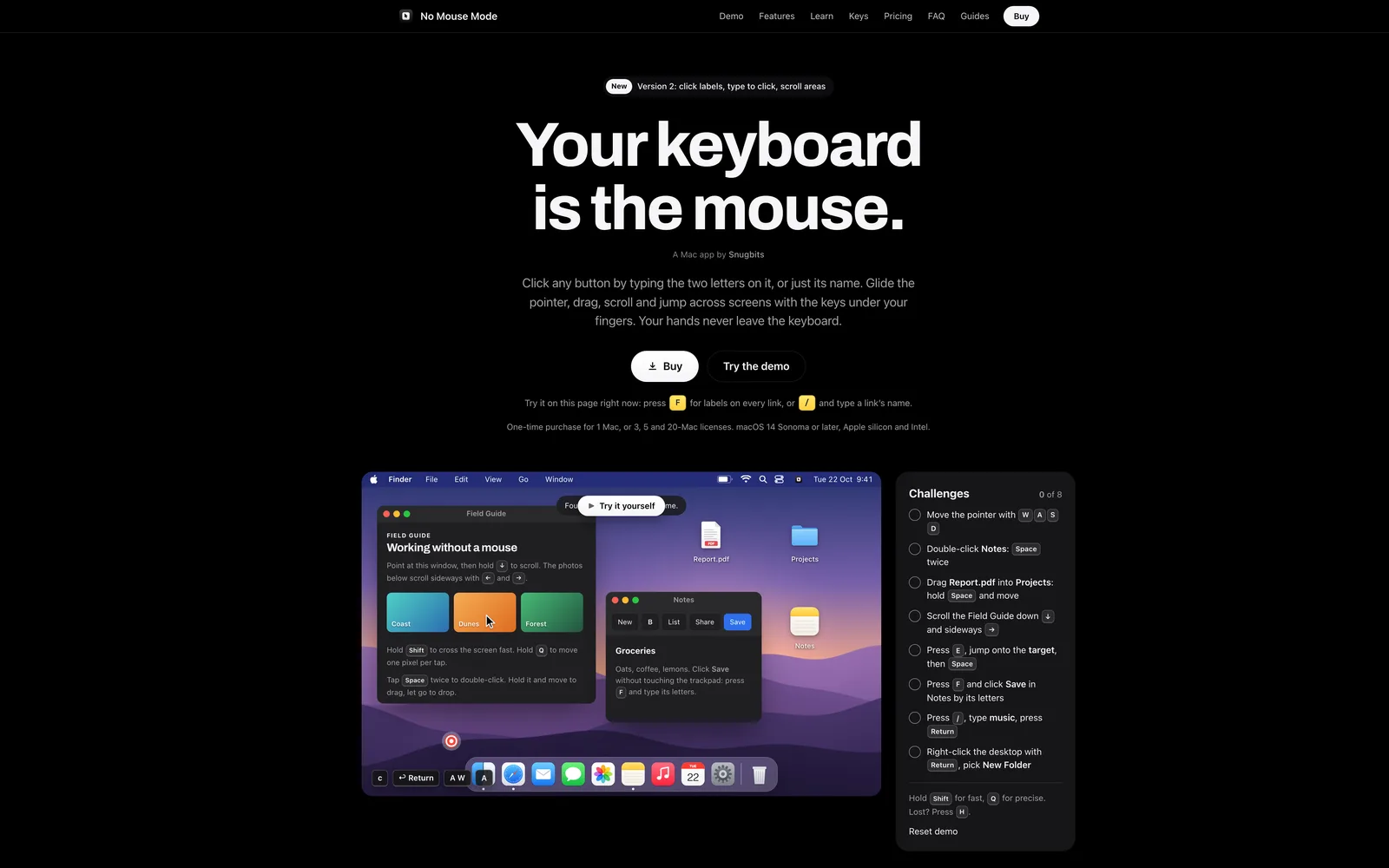
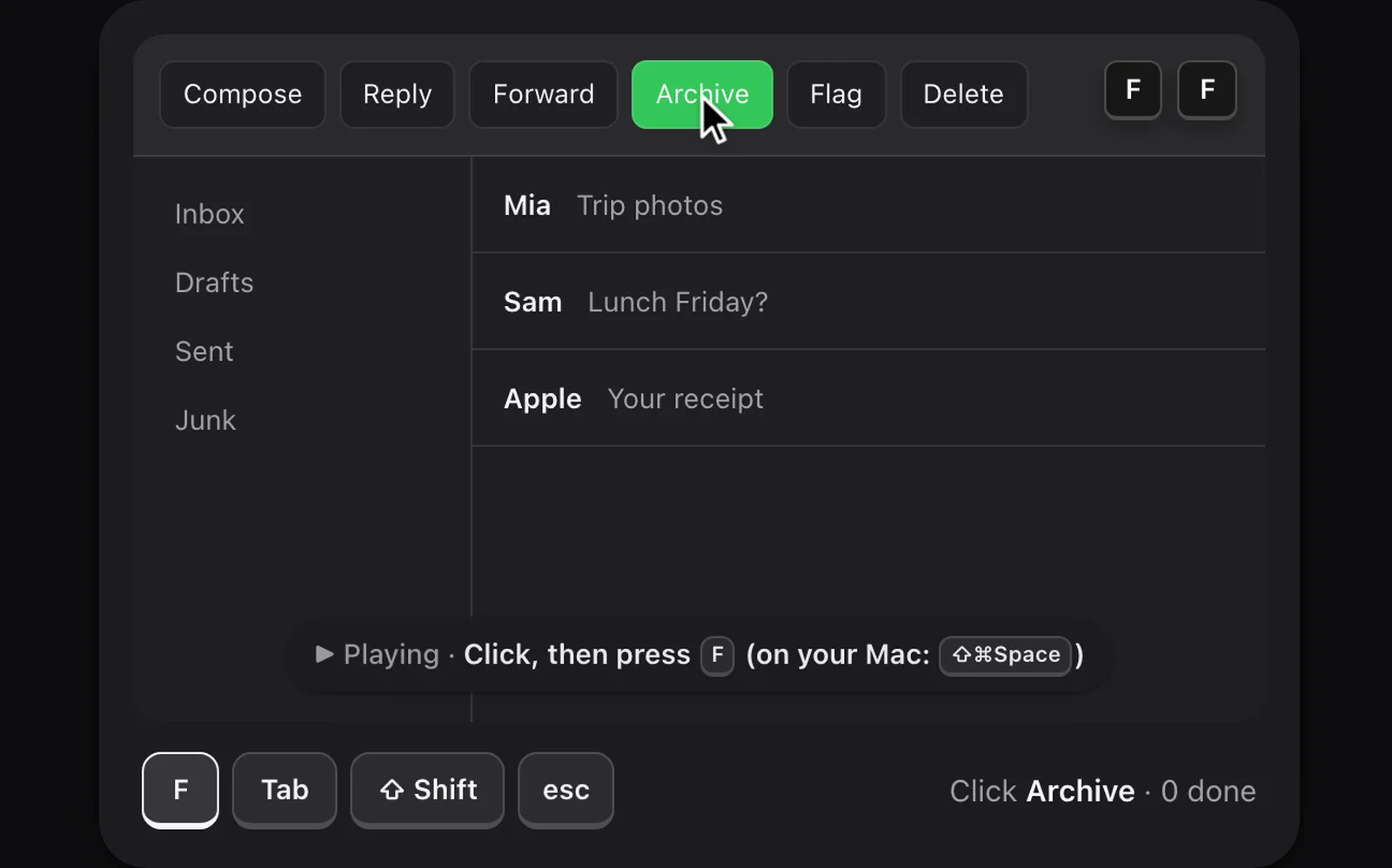
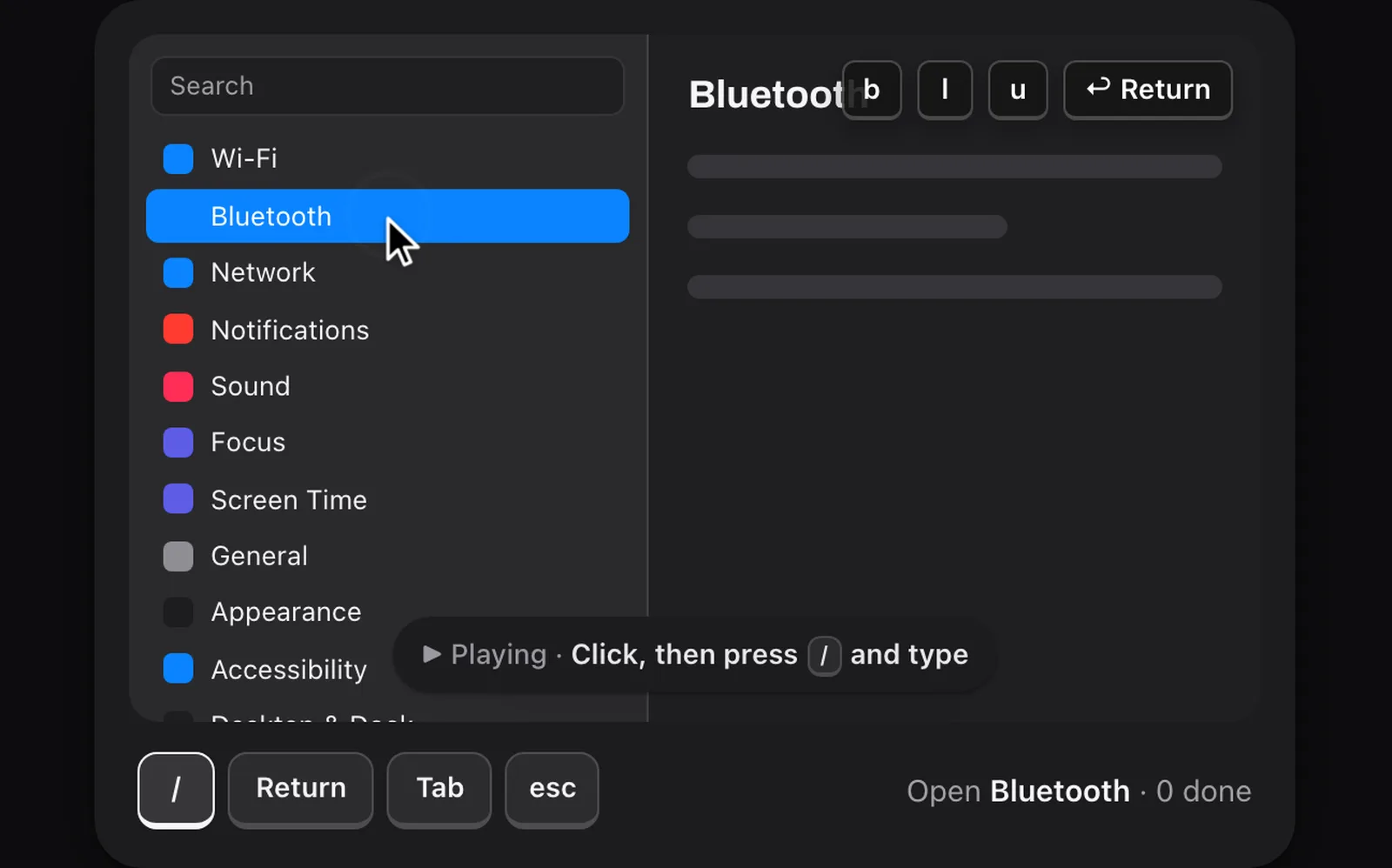
No Mouse Mode lets you use a Mac without the mouse. One shortcut puts a short letter label on every button, link and menu so you can click by typing it, another lets you type part of a control's name, and the pointer glides with W, A, S and D. A nine-cell jump grid, scroll areas and saved pointer spots help you move around, and every key can be remapped. It comes with practice lessons, runs on Apple silicon and Intel with macOS 14 or later, and is a one-time purchase.
Price and availability
No Mouse Mode is a one-time purchase (From $19.99, pay once), with no subscription. You can get it from the developer's website. Dock Gallery links to the maker's page and never hosts or downloads the app itself, so you always get the official version.
Compatibility
No Mouse Mode requires macOS 14.0 or later.
- Requires macOS 14.0 or later
- Available from the developer's website
- One-time price, no subscription
Questions about No Mouse Mode
What is No Mouse Mode?
No Mouse Mode lets you use a Mac without the mouse. One shortcut puts a short letter label on every button, link and menu so you can click by typing it, another lets you type part of a control's name, and the pointer glides with W, A, S and D.
Is No Mouse Mode free?
No Mouse Mode is a one-time purchase (From $19.99, pay once), with no subscription.
Which macOS does No Mouse Mode need?
No Mouse Mode needs macOS 14.0 or later.
Who makes No Mouse Mode?
No Mouse Mode is made by Snugbits.
Where can I get No Mouse Mode?
You can get it from the developer's website. We link to the maker's page and never host the app.
Ask AI about No Mouse Mode




Appears in
More from Snugbits
More apps
All



Details come from the maker's website. Icons and screenshots belong to their makers. Report an issue